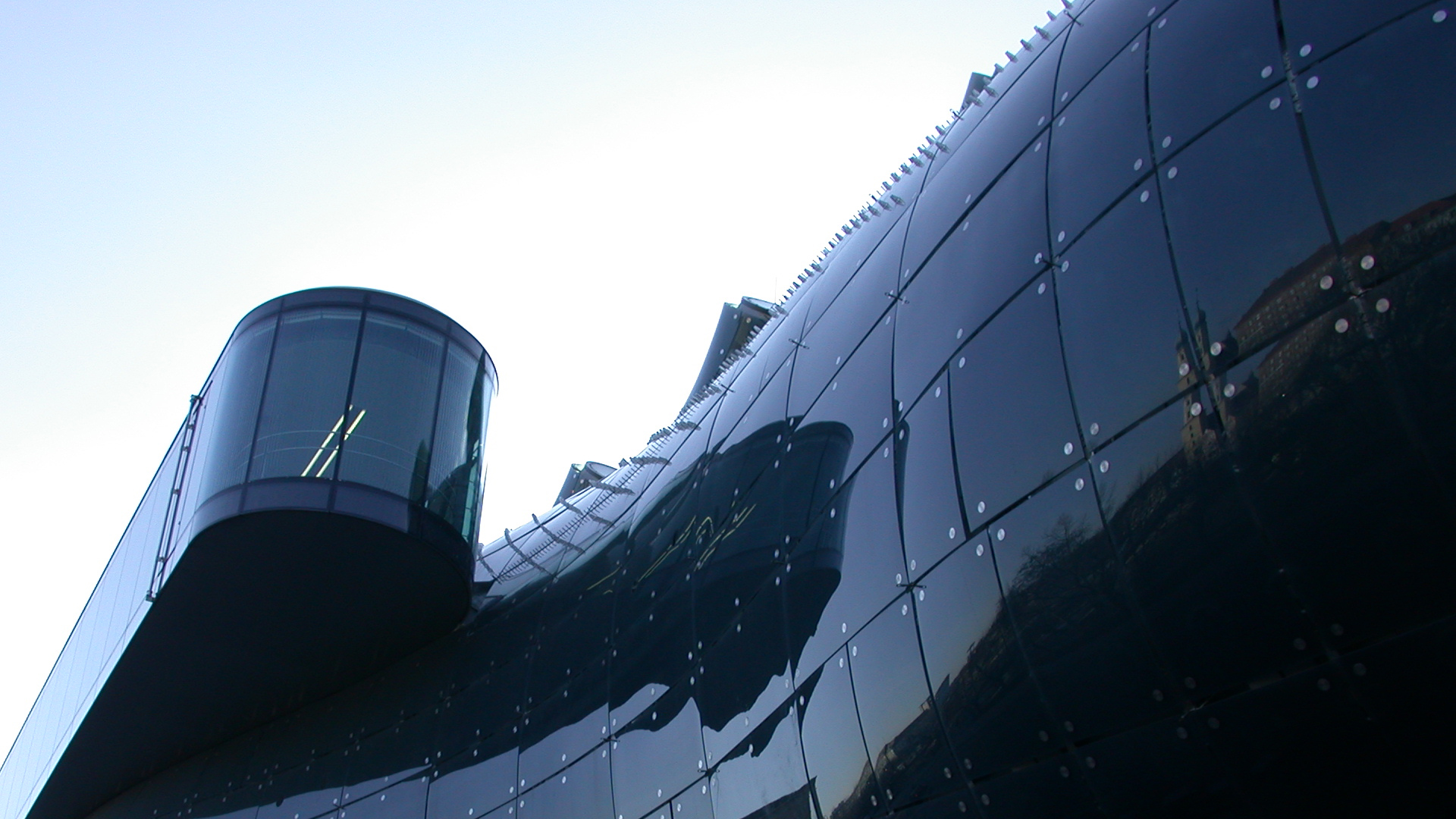
Dienstag, 22. Mai 2007

Hey there!

Birigit and I created a new Video Production Company named MISHA.
We are an Offroad Video Production, so maybe you could give our homepage a visit.

www.misha.co.at

thx dimi

Donnerstag, 15. Februar 2007

Best in Show

Even the best group-work has to finish anytime.

LAG has been awarded the Pineapple for the best show.

Our wonderful video is being presented to an old wise audience.

It couldn't have been much better.

Dienstag, 23. Jänner 2007

Gender issues

The game should be more or less gender neutral. Because there are things that address girls and there are items that address boys.

Neutral:
it’s fantasy and its also very curious,
there is a bit of humour,
there are also varied transports (the Kunsthaus beams itself in the certain town, ships in Venice)

Girls might like:
  • the start of the game. It’s a kind of a puzzle game, where the player has to match the names of the artists with the buildings and the painting.
  • It’s quite adventuresome.
  • Girls can have a look at the different pictures in the museum.
  • The player has different problems to solve
  • and it’s quite fun to play.

Boys might like:

  • they have to win against the securities,
  • it has a scary aspect, stealing sth. in a dark night
  • it’s quite very violent when the Kunsthaus nozzles its enemies down.


    There are more features that appeal to girls. It is more for girls than for boys

Donnerstag, 18. Jänner 2007

Development Requirements

Game engine

Nebula Device

The leading Open Source 3D game and visualisation engine used in dozens of commercial games and professional visualisation applications released worldwide.

Cost

OpenSource, It’s free !

Features

- Graphic Subsystem

Complete rewrite for DX9
Full support for DX7 and DX9 hardware
D3DXEffects (.fx files)
D3D´s HLSL (High Level Shader Language)

- Audio Subsystem

Hundreds of sound sources in a 3d environment
Static and streamed sounds
Simple usage

- Special Effects

Particle System for smoke, fire, sparkles and more
Moving Trees
Shaders for grass, water, glass, metal and more
Fog
Bumpmaps
Realtime Shadows
Prerendered Lightmaps
HDR Rendering


Rendering

High dynamic range rendering (HDRR or HDR Rendering), also known as high dynamic range lighting, is the rendering of 3D computer graphics scenes by using lighting calculations done in a larger dynamic range. Video games and computer generated movies greatly benefit from this as it creates far more realistic scenes than with the previous lighting model (dubbed low dynamic range lighting or standard lighting).


We choose HDR Rendering, because of the better light effects as you can see on the pictures above. Also the shadows have a very clear and dignified outlines, as we want them to look like.

Tone Mapping

Tone mapping, in the context of graphics rendering, is a technique used to map colors from high dynamic range (in which lighting calculations are performed) to low dynamic range that matches the capabilities of a computer display device. Typically, the mapping is non-linear - it preserves enough range for dark colors and gradually limits the dynamic range for bright colors. This technique often produces visually appealing images with good overall detail and contrast. Various tone mapping operators exist, ranging from simple real time methods used in computer games to more sophisticated techniques that attempt to imitate the perceptual response of the human visual system.
Support


Support Resources for this project


This project maintains a number of support resources on SourceForge.net. To help ensure your issue is handled in a timely manner, the nebuladevice project has specified that they prefer for their issues to be reported via the nebuladevice-discuss Mailing List.

Instructions: You may contact the nebuladevice project by sending email to the nebuladevice-discuss mailing list at nebuladevice-discuss@lists.sourceforge.net -- Most projects encourage you to read through existing mailing list posts (all posts to the mailing list are archived in a web-accessible mailing list archive system) to ensure your issue has not already been reported; you may read through posts directly or use the Search box in the left navbar to search through posts based on a keyword or error message.

The following resources are active for the nebuladevice project.

Mailing list: nebuladevice-cvs (Description: Automatic list for CVS changes.); [Archive] - this mailing list was created by the project
Mailing list: nebuladevice-discuss (Description: Nebula Device related discussion.); [Archive] - this mailing list was created by the project

Camera Control

Our game is a first person shooter, so you have a first person view. You are able to look around and see the world through the eyes of the Grazer Kunsthaus.

Sounds

flup - when the Kunsthaus shoots the bubble
Blubb - when the enemy is bubbled
Slurp - when the Kunsthaus eats the wobble
Emotions of the Kunsthaus like “Juhu”, “Jippie”, “That was easy!” (After the successful ending of a mission)
Oh nooo! - If he failures
Tap Tap Tap – while walking

Music for the tutorial level – coming soon
Background music – when it’s thrilling
Voices of friends, guards,
Weather (rain, thunder)
Ambient noise, scrooping doors, keys, ring tones of mobile phones,
Ambience of cities / flowing water in Venice, cars, birds,
Ticking clock – if he has only a short time to solve a problem


Game data

The game data will be stored in a “savegames” folder on your hard drive. There are some plotpoints in the game where it will save the actual game progress automatically, so if you die your data won’t be lost. There won’t be any database functionality because the game is single player only so it wouldn’t be necessary to exchange data.

Software/Development requirements

For the game a mp3 codec will be needed to play all the sound files and in game music. We choose the lame mp3 codec which is free for use.
A DIVX codec will also be necessary for the story videos which are not in game sequences but rendered sequences.

Storyboard Pt. I


self explanatory

Donnerstag, 11. Jänner 2007

Tutorial Sketch


Thats the very first prototype of the tutorial's gamedesign. To be updated...

Start screen


Screen design of the start screen.
Here you can choose if you want to start a new game, load a game, change settings, watch videos of important sequences, or exit the game.

the show must go on


Freakshow


no comment ...

game elements

Fantasy:
The character, Blubby (Kunsthaus Graz) invokes the interest. You are acting as a blue building made of glass panels. This provides you a new view of the world and it’s your task to visit other museums to steal art. (sth. You mustn’t do in your real life).

Curiosity:
During the game there will be unexpected events like:
• The picture you have to steal is not at the original place. Maybe it’s in another museum, restoration (then you have to come back later) or another thief was faster than you. (Then you see on the map where the thief is at the moment. You have to follow him and get back the picture.)
• The artwork is locked in a safe. (You have to find the safe and the correct number by listening to the sounds of the lock when you try to get in. Or you have to find another way.)
• After the burglary, when you want to leave the museum, you realize that you were filmed by the security-cam. You have to find the security room and delete the tape.
• You forgot about the time shift and you are too early at the meeting point. You have to wait some time by walking around in the city.

Challenge:
Your knowledge increases during playing the game. The level of difficulty rises from level to level. The pieces of art are on the one hand harder to find and better guarded, on the other hand less famous. Our game is developed for teens at the age from 14 – 18 years. (The artworks are adapted to the knowledge of the target group. E. g. what the children learn in their history and art lessons.)

Control:
The player decides which picture he wants to steal first. This choice selects the town and the museums where the mission takes place. In the levels you are able to move around without any constraints like in your own home loft. Depending on the currant situation you can decide if you run away or “bubble in” your enemy.

Learning outcomes & instructional content

The main learning target should be about art history, especially about the most famous artist and their work. They have influenced or even created the whole art scenery in their lifetime so they were also important pieces of the epochs. During the game the player sees a lot of museums, so they are able to identify them in reality. As a result they also learn about different kinds of architecture and architects.
Map reading will also be a learning outcome of the game.

For example:

When you are at the museum you are able to have a look at all the paintings and pictures, which are represented. When you are in front of them, you get the information about artist, title, period, technique …

Dienstag, 2. Jänner 2007

map of the galleria dell accademia


Room 1 has works by the earliest recorded Venetian painters, including Paol Veneziano and Lorenzo Veneziano.


Lorenzo Veneziano


Paolo Veneziano


Moving to Room 2, we encounter works from late 15th and early 16th centuries, including pieces by Giovanni Bellini, and Carpaccio’s Crucifixion and Glorification of the Ten Thousand Martyrs of Mount Ararat.


Giovanni Bellini Madonna degli Alberetti

Giovanni Bellini Pala di san giobbe


Room 3, 4 and 5 have a selection of works from the early Renaissance in Venice; Giogione’s Tempest; series of Madonnas by Giovanni Bellini and Mantegna’s St George.


Giovanni Bellini, Madonna


Andrea Mantegna, St. George


Giorgione, The Tempest


Room 6 includes The Creation of the Animals by Tintoretto (Jacopo Robusti) and John the Baptist by Titian (Tiziano Vecellio), while


Tizian, John the Baptist


Tintoretto, The creation of the animals


Room 7 includes Young Man in His Study by Lorenzo Lotto.


Lorenzo Lotto, Young Man in His Study


Rooms 8 and 9 focus on the 16th century, while

Room 10 has Paolo Veronese’s Christ in the House of Levi. Works by Tintoretto, including The Thief of the Body of St Mark, St Marks Saves a Saracen and St Mark Rescues a Slave.


Paolo Veronese, Christ in the House of Levi


Tintoretto, St Mark Rescues a Slave


Tintoretto, St Marks Saves a Saracen


Room 11 includes works by Giambattista Tiepolo include The Translation of the Holy House of Loreto and Tintoretto’s Madonna dei Tesorieri.


Tiepolo, The miracle of the holy house of loreto


Room 12 -15: You pass on through more works from the 15th, 16th and 17th centuries, with high points being Alvise Vivarini’s Santa Chiara, Giovanni Bellini’s series of triptychs and brother Gentile Bellini’s Blessed Lorenzo Giustinian.


In Room 16 you'll find the piece of art you have to steal.


Leonardo da Vinci,
The Vitruvian Man


Alvise Vivarini, Santa Chiara (Detail)


Gentile Bellini’s Blessed Lorenzo Giustinian


Into Room 20 and we find the marvellous Cure of a Lunatic and the Story of St Ursula (a complete cycle of works) by Carpaccio. Gentile Bellini is represented by Recovery of the Relic from the Canale di San Lorenzo and then Procession of the relic in the Piazza.


Carpaccio, The Story of St. Ursula


Gentile Bellini, Procession of the relic in the Piazza

Room 24 houses Titian’s Presentation of the Virgin, and a triptych by Antonio Vivarini and Giovanni d’Alemagna.


Donnerstag, 21. Dezember 2006

Screenflow continuance

A Screenflow, which tells you the first activities for the game.

Feature Set

General Features
Platform: PC
Single (multiplayer maybe later)
You need a mouse to play the game
3D graphics
Licensing, no open source
Advertising gag:
The Kunsthaus is wrapped in mystery. Like Christo and Jeanne Claud did it with the Berliner Reichstag. On the used fabric is written:
“The Kunsthaus is on journey, go along with it!”
Only available in authorized stores
No paper manual tutorial level which takes place in graz.

Editor

There is a new forum where players can exchange their experience and where they can get tips concerning the gameflow. No own world editor. With a serial code you can get new trickier levels.

Gameplay
You ever had the urge to steal a very very expensive piece of art? Then you must have our Game!
You have the opportunity to see, feel and act like a real museum. It takes you 5 minutes to check how the game works but it provides you much fun. You can travel through Europe and meet other important museums, and see all the important works of the real masters, you can be a detective when you try to find the right way and open the door without setting of an alarm.
It helps you to learn about art and art history during a thrilling chase through the town.

UI - User Interface

Here comes the user Interface in detailed graphics.
We decided that our game will be played with mouse and keyboard.


The shown controlling units are:

Keyboard:

Esc - escape to menu (save/load scores, exit the game, etc...)
I - open the Item Screen
M - view full screen map
Space - jump
- move forward
- move backwards
- turn left
- turn right

Mouse:

left click - shoot with nozzles
right click - action
move mouse - to target the aim

Freitag, 15. Dezember 2006

The start of the gameplay - yeehaa

This is the attempt for an overview of the beginning of the exhausting game:

You start in your home loft.
There are many rooms, but they are all empty. In the further game play you will be able to fill those rooms with your stolen exhibits. The rooms are in the same style as the exhibitions, which will take place there. For the start up it’s also important to have a look at the playroom, which is meant to be the tutorial area. There you can try out the control of the kunsthaus. We decided to make the control in a “counterstrike-style”.


↑ Move forward
↓ Move backwards
← Turn left
→ Turn right
:space: Jump The kunsthaus is able to jump very high if it has eaten enough wobble pudding. By holding down the space-key the kunsthaus bounces higher.
:mouse: Move nozzle
:leftclick: Shoot With a crosshair you can aim at the targets you want to nozzle down.*
:rightclick: Action By right clicking you can get some information about the item you have aimed at e.g. tools, wobble puddings or other artwork you find in a level…
:m: Map The map is normally situated at the left-top screen. If you want to see more details press :m: and it grows fullscreen.
:i: Items A roundup of the items is positioned left. For detailed view press :i:
:esc: Menu The menu allows you to save your game and returning to the homeloft.

*) to nozzle down (nozzle, nozzled)
The kunsthaus doesn’t kill its enemies. Friendly bubbles named “bozzles” are its ammo. If they hit an enemy they will be kept in a bubble and are not able to harm the kunsthaus anymore.

TUTORIAL:
The gameroom is loaded with lots of items, which the kunsthaus can shoot at, and many obstacles you can jump onto etc. After spending some time in that room you will be able to handle the kunsthaus perfectly.

LEVEL 1:
Find three works of art to put a Renaissance exhibition.

You go into the Level One Room. It’s the only room where the mission is unlocked.
You start with a kind of card sorting game.
There are pictures and names you have to match correctly.


The correct solution would be:

SALIERA

Benvenuto Cellini

Kunsthistorisches Museum
Vienna


THE VITRUVIAN

Leonardo Da Vinci

Galleria dell’Academia
Venice


THE TOWER OF BABEL

Pieter Brueghel

Museum Boijmans van Beuningen
Antwerpen


When you have got the correct order you can choose between the three missions.
For example if you wanna start with The Vitruvian you click on it and then you start your mission in Venice.

You’re in a dark street in Venice. Look for your account executive. On the map there is a hint where you can find him. He tells you what you have to do in this city.

He whispers:

“Hello Blubby. Nice to see you again… There’s only one way to steal the Vitruvian. If you cross the big bridge you can see the Galleria. But you can’t break into it because you need special tools for that. There are three other thiefs, which own this tools. Nozzle them down and they’re gonna lose them. Collect them and then come back to me if you need further information…”


Be aware of policemen and museum guards. Nozzle them down. After collecting the tools you can enter the museum.

There is a labyrinth with arrows and you have to follow the hints which have all to do with Renaissance and the Vitruvian. If you follow the wrong arrow you get into a room where you see other Renaissance Pictures. If you right-click them you get some information about them. When you finally got into the Vitruvian room you have to aim at it and nozzle – then the picture is soaked up in your body. Then you have passed the first mission.

Congrats!!

(Scribbles will follow...)

Heureka, we have a logo

Finally we have a first draft of our Legal Alien Games logo


jipie

The Legal Alien Games Brainstorming

Our first result of brainstorming. Next part coming soon ...


Screendesign

For our first game (Alien Art Thief) we made a screendesign which you can see in on the pictures (click on the images for a better resolution)

Screen 1:

Here you can see the normal screen. On the left top you can see the map. On the right side of the top you can see the energy screen and the ammo screen(you can shoot bubbles). On the left bottom you see the item screen. Here you can see which items you already have and which items you need to get.


Screen 2:

On the second screen you can see what happens if you press "i" for items. On the item screen you see a mission briefing and a short info where you can find the items.


Screen 3:

If you press "m" for map you have a fullscreen view of the map.

Donnerstag, 14. Dezember 2006

First Lab Lession

"Alien Art Thief" - the concept of a perfect art-ego-shooter


You are the Kunsthaus Graz.

And according to all the bad exhibitions in the past you decide to find some interesting art on your own.

In a silent foggy night, the Kunsthaus shrinks and leaves Graz for an adventurous journey across the globe. And now it's up to you to lead the Kunsthaus through this exciting mission!!


The game has several levels. The aim of every level is to put a special exhibition which attracts worldwide attention.
In the first level you have to find three different works of art, the higher the level the more exhibits you have to find and steal. The Kunsthaus shoots with bubbles through its nozzles at his enemies (see the sketch).
Our game is a 3D Ego Shooter so you see the whole Kunsthaus only in the intro and the cutscenes.


LEVEL 1 example:

The easiest exhibition is about Renaissance. One of the three exhibits is the Vitruvian by Leonardo da Vinci.
It's located in Venice in the Galleria dell'Accademia - so you are transported a virtual surrounding of the museum there.
At first you have to find the person who explains to you how you can break into the museum.
There are many dubious guys who want to harm you. So you have to freeze them with your bubbles and collect stuff like picklocks or keys from them. If you have gathered all the necessary items you can get into the museums. In the museums there are things like riddles and labyrinths which lead you to the Vitruvian.
If you want, you can find out details about the other exhibits which are in the museum.
If you found the Vitruvian you have to soak it up with a nozzle, you are transported back to your Loft and you can start to find one of the other two exhibits.


You have to be careful not to cause alarm - then you will be hunted by many museum-guards and nozzle them down.
If you die you will be transported back to your Loft and have to start the mission again.

Let's Call It A Day :)